2026 · 9 months
Rethinking Screen for the AI era: from a churn signal to a product roadmap
SaaS technical-interview platform
The challenge
CoderPad Screen is our technical-assessment product for hiring developers: async take-home exercises, or live interviews run by a recruiter.
On the recruiter side, two things were compounding: a growing volume of candidates to evaluate, with few tools to tell them apart, and rising AI use by candidates — to the point where most scores were climbing, making an already bigger pile of results harder to interpret and compare.
On CoderPad's side, that showed up concretely: rising churn on strategic accounts, tougher competition, and features that were shipping too slowly to keep pace.
My job: find out what was really driving those departures, and turn that diagnosis into a concrete product roadmap to help recruiters evaluate faster and more fairly, in the AI era.
The impact, in numbers
- 5xChurn ARR growth on high-stakes accounts (Q1 vs. prior year) — the signal that started the project
- 60+companies adopted AI grading within 3 months
- −81%Design → review cycle (5x quicker), done with Gabriela
Methodology
Diagnose
From a churn signal to a field diagnosis
In Q1, a sharp rise in churn ARR on our high-stakes accounts triggered a diagnosis phase crossing data with the ground: I ran a series of interviews with recruiter users and client calls together with the PM, alongside the data analysis and feedback surfaced by Customer Success, to understand what was really driving cancellation decisions. Those interviews surfaced a recurring friction point among at-risk accounts: manual grading of technical tests, slow and inconsistent. All the recruiters we interviewed (100%) struggled to interpret a candidate report.
We concluded we needed to speed up how recruiters understand and process reports, and make our tools more AI-ready — embracing AI rather than blocking it or flagging it as cheating.
Co-build
A hackathon to turn the diagnosis into concrete ideas
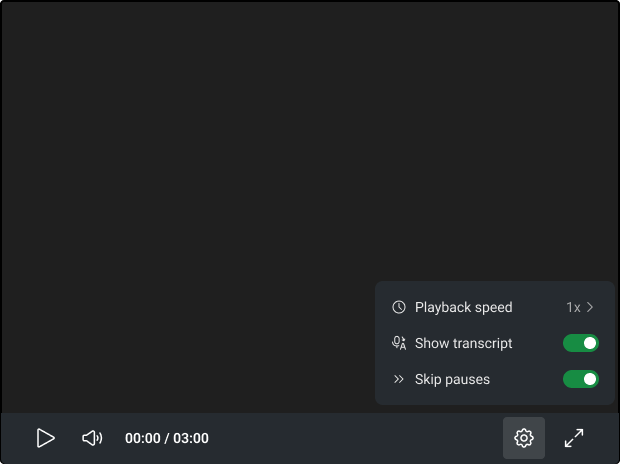
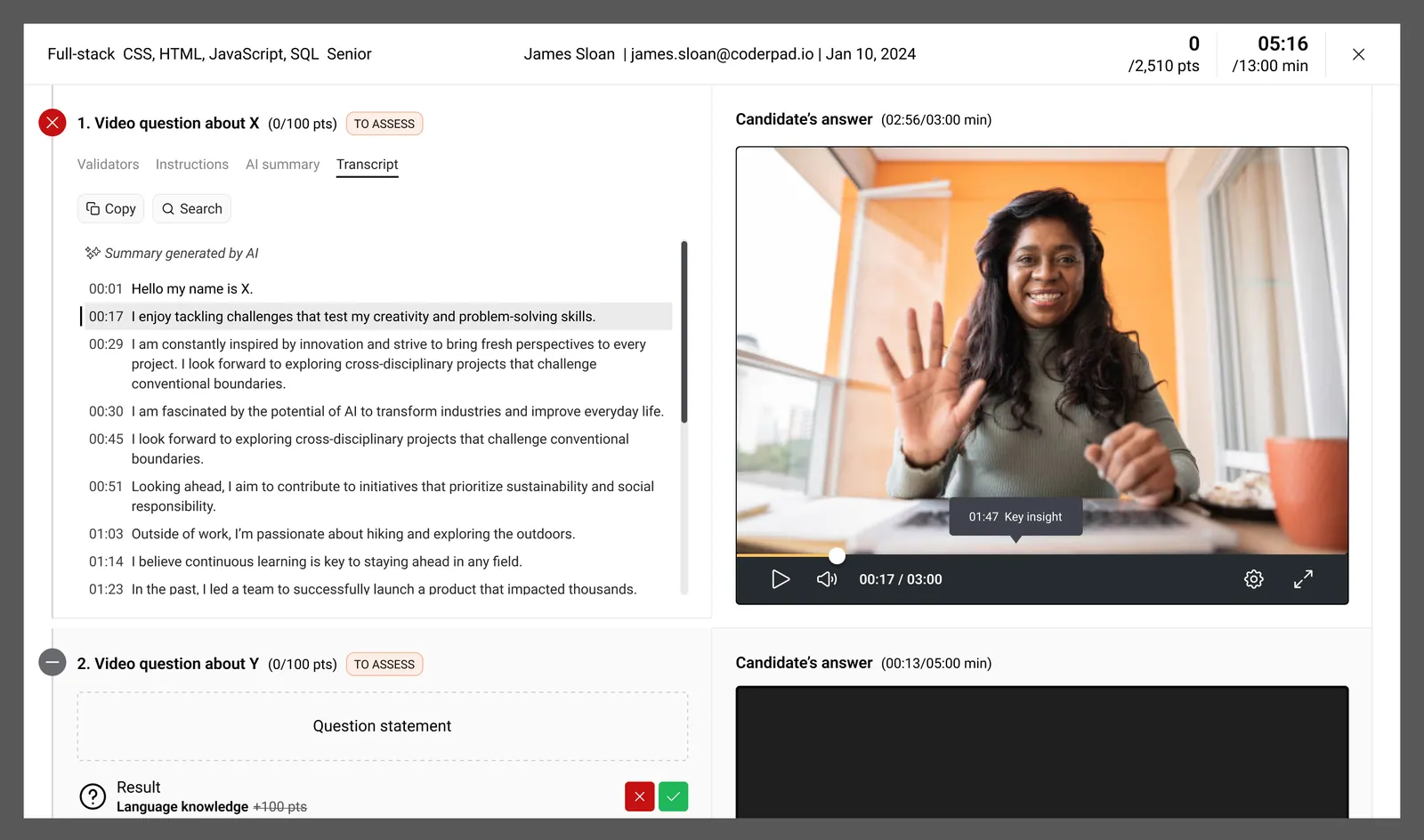
A one-day hackathon with the PM and developers let us co-build feature ideas together: assessing candidates' AI knowledge and usage through new dedicated questions and tests, and giving recruiters AI tools to evaluate candidates more efficiently — AI-assisted review, video transcripts, an analysis chatbot.
We then built the product roadmap with the PM, and I wrote an internal article to share our user findings and the direction we picked (churn → interviews & feedback → hackathon results → roadmap). My recommendation: prioritize AI tools for recruiters first, to reduce churn. Post-interview feedback was clear: they were losing too much time and couldn't tell their candidates apart, with AI skewing the data and giving everyone a good score. So I asked to prioritize two workstreams: grading criteria to speed recruiters up, and follow-up questions proposed automatically to the candidate, based on their earlier answer to a code or project question, asking them to explain a specific choice (by video, in writing, or by sharing their screen with audio and video). These features were pushed all the way to production over the summer.
I also proposed running the redesign of the design system and of our AI-assisted design workflow in parallel, as a background track: the PM agreed, since it took time while other features had to ship quickly.
For each strategic axis, we discussed with the PM which features to launch and in what order. Before each design workstream, I brought the framing: benchmark, KPIs to track and interviews to run, then validated the ticket scope with the PM before starting. Once in production, I built those KPIs in our dashboards to check the effect of our product and design choices.
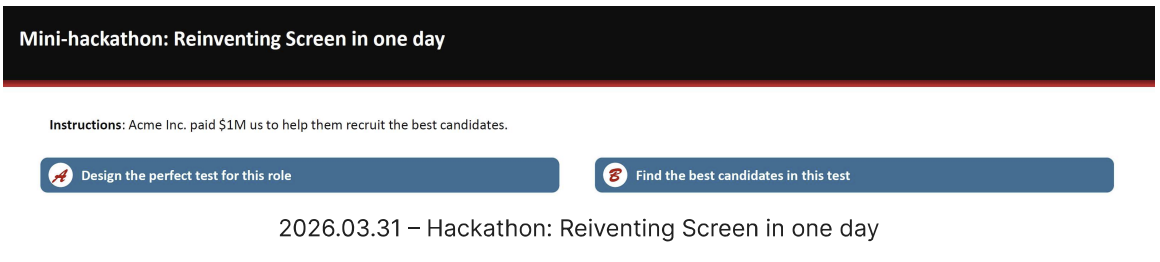
The brief for the one-day mini-hackathon that let us co-build the first feature ideas with the PM and developers. Design
A decision copilot to evaluate a candidate
Concretely: configurable criteria and custom prompts that let AI pre-process project submissions and surface relevant signals to support human decision-making — a direct answer to the qualitative scoring gap our users flagged.
Rather than stacking on more filters, we saw the chance to build a decision copilot: make AI trustworthy for high-stakes hiring, not decide in the recruiter's place. I designed AI grading in three modes (none, partial, full), mobile-first and responsive, with adjustable AI autonomy — the recruiter sets their own criteria and always keeps the final call.
The KPIs I set upfront: the rate of acceptance of the AI's judgment and users' trust in it, the AI's own confidence in its answer (assessed by our tooling), the reading time of the detailed report, which went down, to check the feature really helps recruiters decide faster, and the usage split across the three modes. The full (automatic) mode is the most used: a real need to save time and to trust the tool, not just to receive suggestions to review by hand.
Result: adopted by 60+ companies in 3 months, 10,000+ test cases processed, +65% month-over-month usage growth, and 95% of users agreeing with the AI's decisions, a trust signal.
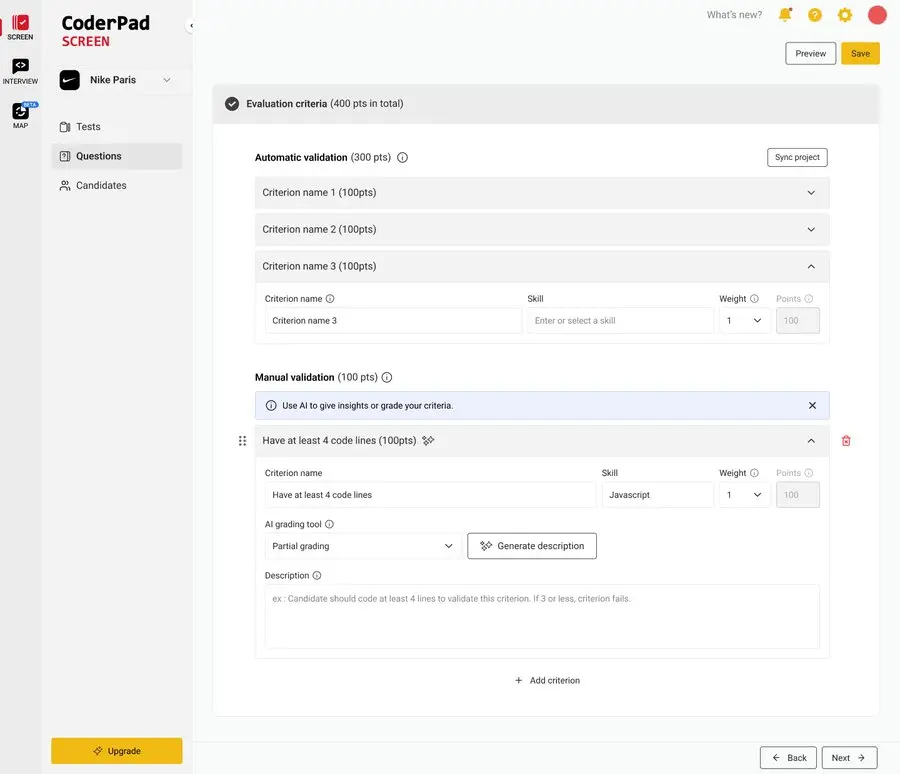
The AI-assisted grading criteria configuration screen — real, shipped-in-production UI. Three modes (none, partial, full) keep the recruiter in control of the decision. 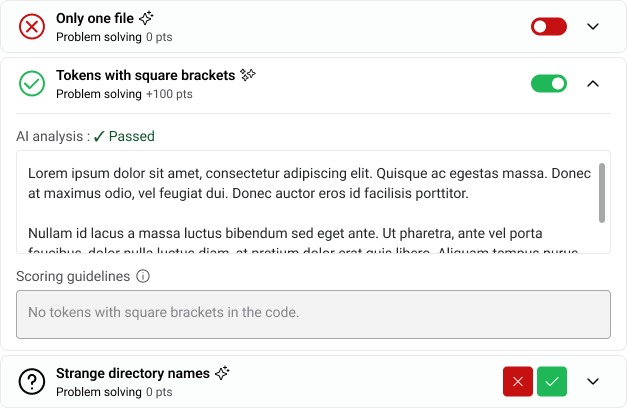
The candidate-facing report: each criterion shows a pass/fail verdict with the AI's reasoning in plain language. Go further
A comparison chatbot and candidate follow-up questions
We also built a chatbot: within a test campaign, the recruiter can ask it to analyze one or several candidates, generate a detailed comparison across profiles, a summary, and a verdict on which candidates to move forward.
We complemented this with automated follow-up questions added to the candidate journey: a few minutes to explain their code or project, in writing, on video, or by screen-sharing with camera and mic on.
Equip the team
Rebuilding the design system to be AI-ready
We didn't stop there: I led, as a background track agreed with the PM, the redesign of the design system (tokens, accessibility, eco-design) to make it more legible to AI, easier to extend into consistent components, and to plug into our prototyping tools (Claude Design) — low-fi prototypes were replaced with prototypes built directly in Claude. Gabriela, a product designer who has known the product for years, helped me implement the design system and accessibility and drove the connection between Claude Code and the Figma mockups; her knowledge of how the product is used also helped us weigh the impact of our decisions. Across all these changes, done together: the design → first review flow got 5x faster (−81%), and the time between first high-fidelity Figma review and final dev handoff dropped by a third.
We also set accessibility guidelines so PM, design and developers share the same understanding of screen-reader and keyboard-navigation requirements.
The result for recruiters: richer candidate answers, clearer differences between profiles, more efficient AI-assisted review — and features shipping faster (design → review cycle 5x quicker) without losing quality.
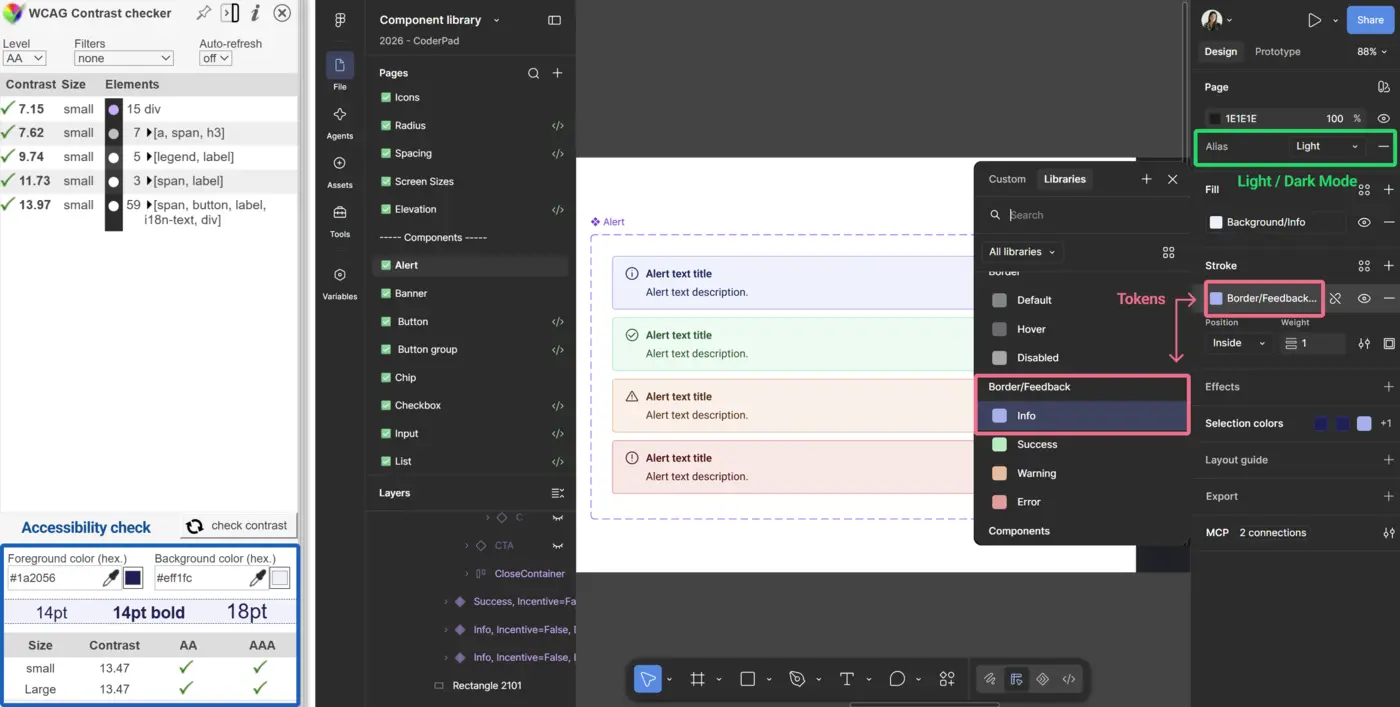
The Figma design system I built on Claude Design — live WCAG contrast checking, semantic color tokens, light/dark theming on the same component. 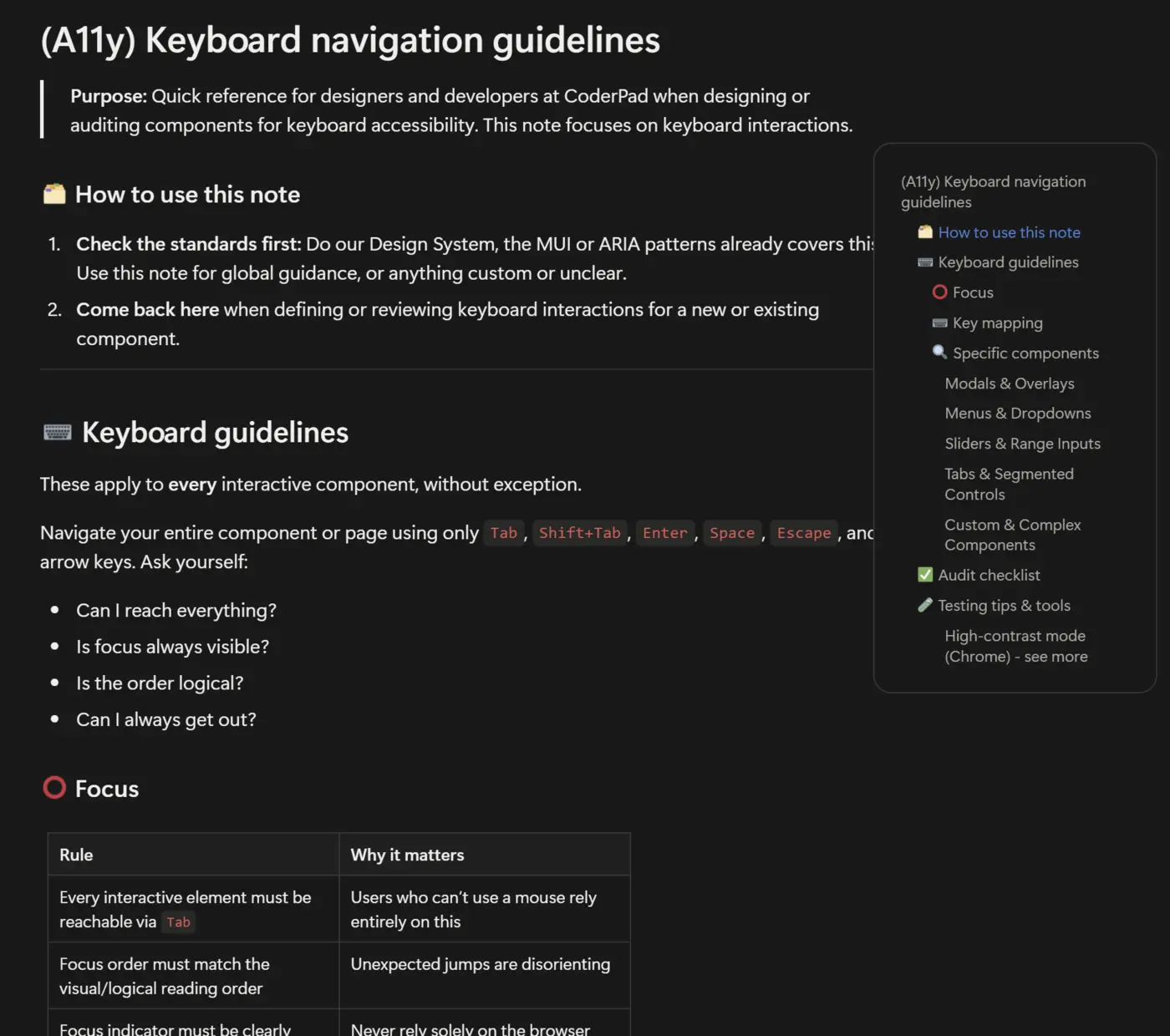
One of the internal reference guides I write and maintain — here on keyboard accessibility — so best practices scale across the team, not just through me. Grow the team
Growing with the team: coaching designers, structuring rituals, learning from them
Beyond the deliverables, I made a point of growing the other two designers on the team: a weekly 1:1 with each of them, where I didn't just talk about current tasks but about what interested them and what frustrated them, to help them steer toward or start on certain topics. I also shared our Monday team standup notes with the whole product group (manager, PMs, devs), and we had a Wednesday ritual to share progress and questions.
I turned our biweekly Design Reviews into a real structuring ritual: whoever was presenting, I ran the session — framing it at the start and wrapping it up at the end — gave stakeholders advance notice of the topics on the agenda, and set up a standard deck template plus a Notion tracker (topic, presenter, Figma/Claude Design link, write-up) so decisions stayed traceable afterward.
I also set up the design system in Claude Design as the company-wide default, shared guidelines and templates (accessibility, UX research, tokenization) in the team's Notion 'Design' space, and supported her successor's return with hands-on pairing on a live task to speed up her ramp-up.
In the other direction, I learn from my colleagues. Gabriela taught me how to connect Claude Code and Figma, and gave me the product context (who uses what, and how) to weigh the impact of our decisions. Her method: ask a developer for help, test and tinker, lean on existing skills, then write a tutorial to unblock the other designers. We joined our two workstreams from June to September, and I borrowed her teaching approach to document the design system changes, up to publishing everything in September.
Results
- Diagnosis crossing a churn signal (5x on high-stakes accounts), user interviews and client feedback — behind Screen's AI roadmap
- Framing before each design workstream (benchmark, KPIs to track, interviews), then KPIs built in the dashboards to check the effect after release
- AI grading in three modes adopted by 60+ companies in 3 months (95% agreement with the AI's decisions), a comparative-analysis chatbot and candidate follow-up questions, for richer, faster-to-judge reports
- Design system rebuilt to be AI-ready, with Gabriela: design → review cycle 5x quicker (−81%), review time cut by a third
- Accessibility guidelines shared with PM, design and developers
- Biweekly Design Reviews run with a standard deck template and a Notion tracker (topic, presenter, Figma/Claude Design link, write-up), and a structured onboarding for her successor